
PRACTICAL SERVICE GUIDE · 12 MIN READ · DUBAI
Access that follows the way your business works
An access control system should make everyday movement straightforward while keeping restricted areas under deliberate control. Staff need to reach their workspaces, visitors need a clear arrival process, and managers need a reliable way to change permissions. The right installation brings those needs together without making every door a separate administrative task.
CCTV Installation UAE helps Dubai businesses plan access control around their premises, staffing patterns and responsibilities. A small office entrance has different requirements from a warehouse with shift workers, a shared commercial floor or a building with several departments. We begin with those differences before discussing readers, controllers or software.
The useful starting question is not how many devices you want. It is who should enter each area, when access should work, and what should happen when something changes. That conversation produces a system that remains understandable after installation, when a receptionist issues a visitor credential or a manager removes a departing employee.
Define the spaces before selecting equipment
Our planning process starts with a door and user survey. We identify controlled entrances, internal boundaries, delivery routes and spaces that need additional approval. We also examine the physical condition of each door because alignment, closing action and available mounting space affect the installation as much as the electronics.
A floor plan becomes more useful when it shows operational boundaries. Reception might be available during opening hours, an equipment room might remain restricted, and a stockroom might permit only designated supervisors. These distinctions help prevent the common mistake of giving everyone unrestricted access because individual permissions were never agreed.
We ask who owns each access decision. Human resources may confirm employment status, department managers may approve restricted areas, and facilities staff may manage doors. Naming those responsibilities early reduces uncertainty when someone requests an exception. It also makes the handover practical because each administrator understands the decisions they can make.
The survey records existing power, data connections, cable routes, door hardware and management software. Where the building already has security or fire interfaces, the relevant specialists must confirm how the proposed work fits their arrangements. Access control must support the premises without compromising an approved escape or emergency response design.
Choose a system architecture with room to operate
Standalone access can suit a limited requirement where one entrance and a small user group are managed locally. It may be straightforward to operate, but changes can require visiting the device. That becomes less convenient when a business adds doors or needs a consistent record of permissions across several areas.
A centrally managed system allows authorised staff to maintain users and access groups through a shared management interface. Networked controllers connect the door hardware to that arrangement. The exact behaviour during a network interruption depends on the selected equipment, configuration and credential storage, so it belongs in the specification and acceptance tests.
Cloud management and local management each involve tradeoffs. We discuss connectivity, subscription arrangements, administrator access, export options and the location of operational data. A remote interface is useful only when the business understands who controls the account and how management continues if an administrator leaves.
Expansion should be specific rather than speculative. If another office entrance is planned, we can consider controller capacity, software licensing and spare cable routes. If no expansion is expected, unnecessary hardware adds cost and complexity. The aim is an appropriate system whose future limits are documented clearly.
Select credentials for real users
Cards and key fobs are familiar and usually easy to issue. Their management still matters: each credential should be assigned to an identifiable user rather than handed out as an untracked spare. A lost credential can then be disabled without changing every employee's access arrangement.
PIN access avoids carrying a separate item, but shared codes weaken individual accountability. A code may be appropriate for a defined situation, yet its distribution, expiry and replacement need a clear policy. We help distinguish a convenient temporary arrangement from a permanent shortcut that nobody owns.
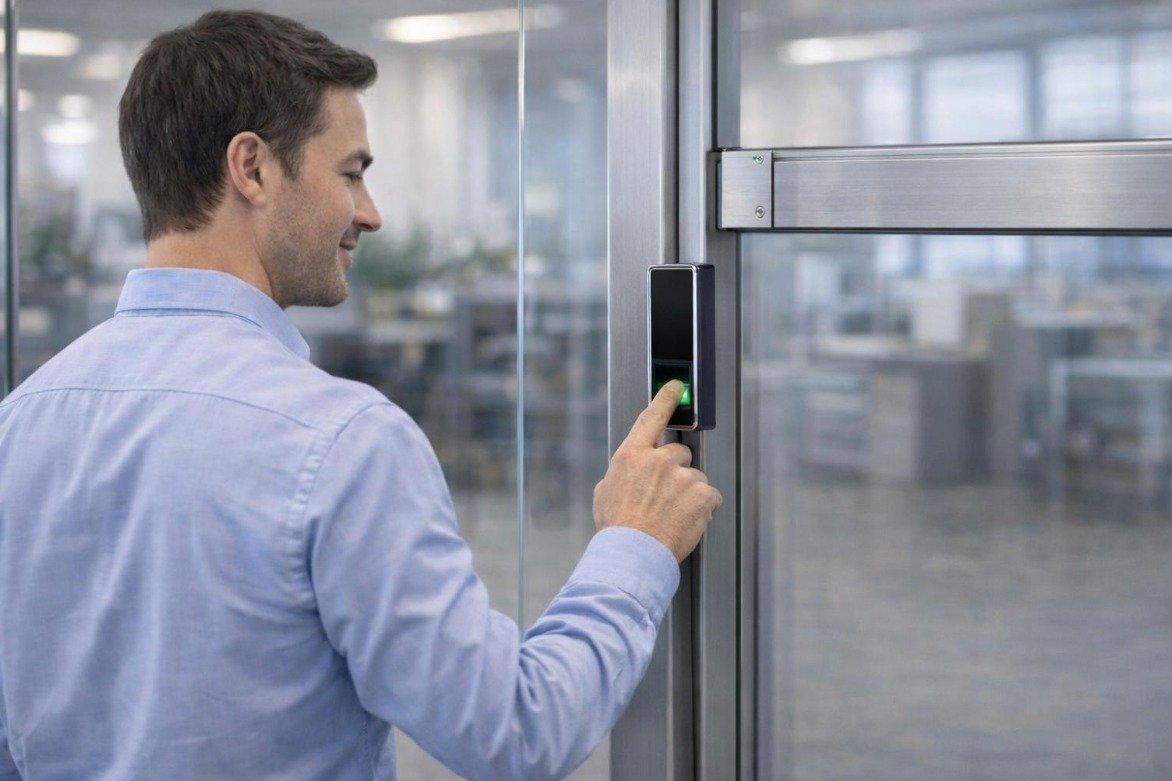
Mobile credentials and biometric readers may suit some premises. Compatibility, user experience, device support and administration should be checked against the actual product rather than assumed from a feature name. A fingerprint reader, for example, also needs a practical enrollment process and an agreed alternative for users who cannot use that method reliably.
Mixed credentials can help accommodate different roles. Employees may use individual cards while visitors receive time limited permissions. The important point is consistency: the system should record who holds each credential, who approved it and what access it allows. Additional credential types should solve a genuine operational need.
Build permissions from roles and schedules
Access groups turn a long list of individual door settings into manageable business rules. A group might represent office staff, warehouse supervisors or maintenance personnel. We map each group to agreed doors and times, then review the result with the people responsible for those spaces.
Permissions should begin with the areas a person needs. Giving broad access and trying to remove exceptions later makes reviews difficult. A structured approach also makes transfers easier: changing someone's department can mean replacing one defined group rather than editing many unrelated door settings.
Schedules require more attention than opening and closing times. Overnight shifts, weekends, public holidays and temporary works can change normal movement. We agree how exceptions will be approved and entered. Where the software supports holiday calendars or special periods, we test the intended outcome rather than assuming a weekly schedule covers everything.
Administrator roles need their own boundaries. Someone who enrolls staff may not need to alter door behaviour or export every event. Separating routine user management from system configuration reduces accidental changes. The exact permissions available depend on the platform, and the handover identifies any limitations that require an organisational workaround.
Install doors as complete working assemblies
An access point contains more than a reader. The lock, door closer, controller, power supply, exit arrangements and monitoring inputs need to work together. We check the proposed combination against the selected equipment documentation and the physical door, including frame material and the space available for protected cabling.
Poor alignment can look like an electronic failure. If a door drags or does not settle consistently, a reader may accept a credential while the lock fails to engage as intended. Mechanical defects should be addressed through the appropriate door specialist instead of concealed with longer unlock times or improvised mounting.
Cable routes should protect the installation and remain maintainable. We plan reader wiring, controller positions and power connections so that technicians can identify circuits without dismantling unrelated equipment. Labels, accessible terminations and a door schedule reduce the time needed to investigate a future problem.
Emergency release and escape arrangements require coordination with qualified building and fire specialists. The correct behaviour cannot be selected from a generic internet checklist. Before commissioning, responsibilities and interfaces should be agreed for the actual premises. We document which elements were included in the access control work and which require separate specialist approval.
Configure the network and management environment
Networked access equipment needs an agreed addressing plan and reliable connectivity. We coordinate with the customer's IT contact so controllers, management workstations and any approved remote services can communicate as intended. The design should avoid creating an unmanaged connection between a door controller and the wider business network.
Unique administrator accounts provide clearer accountability than one shared login. Where supported, additional authentication and restricted management access can strengthen administration. Password handling, account recovery and ownership should be addressed before handover, so the business does not depend on an installer's personal account.
Time settings also matter. An event record becomes harder to interpret when the controller and management system disagree about the time. We check the configured time source, local settings and event display. Any integration with CCTV or another platform should be tested using a real, authorised scenario.
Backups should include the information needed to restore the agreed configuration. We identify what can be exported, where it will be stored and who may access it. Credential data and user records require appropriate handling, so a configuration backup should not become an uncontrolled copy of sensitive information.
Test everyday access and exceptions
Commissioning follows a written set of scenarios. A permitted user should enter the intended door at the intended time. A user without permission should be refused. A disabled credential should stop working according to the system's documented update behaviour. Testing only a master credential would miss the rules that make the installation useful.
We also examine what an administrator sees. Events should identify the relevant door and user in a meaningful way. Door names such as “Reception entrance” are more useful than unexplained device numbers. If monitoring functions are included, their messages should be checked against the physical conditions they represent.
Power and connectivity interruption tests must be planned safely with the customer's responsible staff. They confirm the selected system's behaviour and recovery rather than simulate an uncontrolled emergency. Any limitations, including delayed synchronisation or reduced management functions, should appear in the handover record.
The final walkthrough gives the customer a chance to assess movement as an operator. Can reception recognise the correct door? Can a manager revoke a lost card? Does a contractor's permission expire as intended? These practical questions often reveal more than a device status screen alone.
Make daily administration simple
A useful handover covers the full user lifecycle. We demonstrate adding a user, assigning the correct access group, issuing a credential, making a temporary change and disabling access. The customer should also know how to distinguish deleting an account from temporarily suspending it where the platform offers both options.
Lost credentials need a defined response. Staff should know whom to contact and what information identifies the correct credential. Replacement should not silently leave the original active. A simple issue register can support the software record, especially where several authorised people handle cards or fobs.
Periodic permission reviews help keep the system aligned with the business. Staff move departments, contractors finish work and access needs change. Reviewing those changes with the relevant managers is more dependable than assuming the original installation settings remain correct indefinitely.
We provide practical configuration and equipment information for the agreed scope. Depending on the installation, this can include door names, controller locations, software details, administrator responsibilities and known dependencies. Clear records help a future technician investigate a problem without asking the business to reconstruct its entire access policy.
Maintain performance and diagnose faults
Maintenance should check both the physical door and its electronic control. A reader may remain responsive while a closer deteriorates or a lock becomes misaligned. Reviewing these elements together helps identify the cause before an intermittent inconvenience becomes a door that staff routinely prop open.
Fault investigation starts with a precise symptom. Is one credential refused everywhere, or are several users affected at one door? Does the event log show a refusal, a granted entry or no event? Those distinctions separate permission issues from communication, power, wiring or mechanical problems.
Changes deserve particular attention. A new employee import, network adjustment, altered schedule or door repair may explain when a fault began. We review available records before recommending replacement hardware. Replacing a reader will not solve an incorrectly assigned access group or a schedule that ends before an evening shift.
For a support request, share the affected door, approximate time, displayed message and whether other users can enter. Avoid sending passwords or biometric data through general messaging. Useful observations make it easier to plan an appropriate visit and identify which administrator or specialist should be involved.
Compare quotations by the work included
A quotation is easier to assess when it names the controlled doors and the tasks included at each opening. Reader supply alone does not describe a complete installation. Ask whether the proposal covers mounting, compatible locking hardware, power equipment, cabling, configuration, user setup and the agreed commissioning process.
Software costs should also be understandable. The customer needs to know whether management functions, additional doors or remote administration involve separate licences. An initial hardware price can be misleading if essential operational features are omitted. We explain the proposed scope so you can compare the result rather than a list of similar looking product names.
Installation timing should fit the premises. Some work may require access above ceilings, temporary restrictions at entrances or coordination with the building manager. Agreeing those conditions helps reduce disruption and avoids a technician arriving when the relevant areas are unavailable. The plan should also identify who can approve a practical change discovered during installation.
Acceptance criteria make the decision concrete. Instead of a broad promise that the system will be operational, the proposal can identify representative access groups, schedule tests, administrator training and the documents expected at handover. Outstanding dependencies should be recorded with an owner, especially where another contractor must complete door repairs or confirm an interface.
Before approving the work, check that your appointed administrator has reviewed the intended workflow. A technically suitable platform can still be awkward if its daily tasks conflict with how your team operates. A brief demonstration or walkthrough can expose that mismatch while the selection can still be changed.
Questions businesses ask before installation
Can we control one entrance now and add more later?
Often, but expansion depends on the selected controller, management platform, licensing and infrastructure. Tell us about likely additional entrances during the survey. We can identify which parts of the proposal support that growth and which would need further work, rather than describe every single door product as automatically expandable.
Can access control work with existing CCTV?
Some combinations support useful integrations, such as reviewing video around an access event. Compatibility must be confirmed for the actual products and software versions. If integration is requested, its expected behaviour, user permissions and acceptance test should be included explicitly in the scope.
Will a network fault stop every door from working?
That depends on system architecture and configuration. Some controllers can make local access decisions using stored information, while management features may be affected differently. We confirm the proposed behaviour from the product documentation and test the agreed interruption scenario during commissioning.
What should we prepare for a quotation?
Send the premises type, approximate door count, user count and preferred credential method. A floor plan and clear door photographs are useful. Mention shift patterns, existing hardware and the person responsible for IT. For a Dubai access control assessment, contact CCTV Installation UAE on +971557242758.
Plan an access system you can manage
The strongest proposal connects equipment choices to clear operating rules. It explains the doors included, credential arrangements, management responsibilities and testing method. It also identifies dependencies, such as door repairs or approved emergency interfaces, so the customer can assess the complete work before proceeding.
Whether you are replacing an isolated keypad or planning coordinated access across an office, begin with a practical survey. CCTV Installation UAE can help translate your requirements into an understandable installation scope, with permission management and everyday use considered alongside the hardware.
Technical references: Axis access control overview and Axis controller setup documentation.