
PRACTICAL SERVICE GUIDE · 12 MIN READ · DUBAI
IP CCTV cameras planned as a complete network system
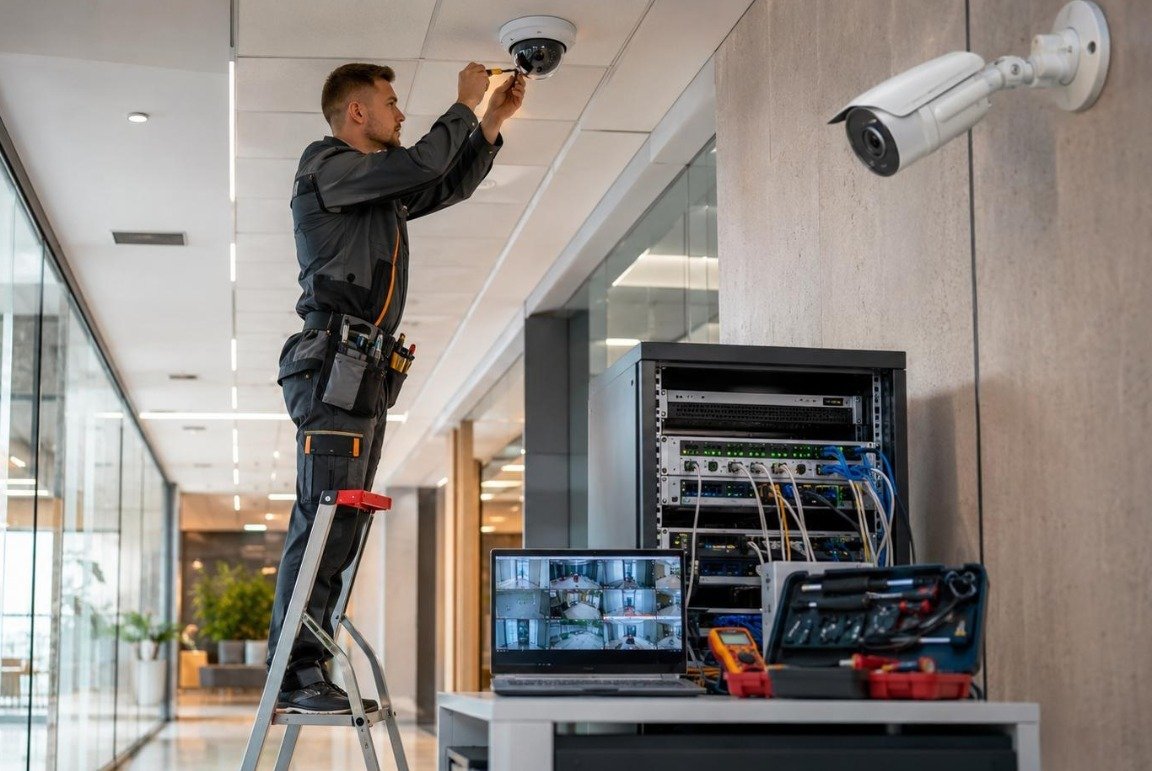
An IP camera sends video over a network, but a successful installation involves much more than giving the camera an address. Power, cabling, switching, recorder capacity and account permissions all influence whether the picture remains available when you need it. CCTV Installation UAE helps customers in Dubai connect these decisions into a practical IP camera system for their premises.
The right starting point is your intended use. You may be replacing an older recorder, extending coverage to another floor or fitting out a new office. Each situation presents different constraints. We review the required views, the available network infrastructure and the recording arrangements before discussing suitable equipment. This avoids choosing cameras first and discovering later that the rest of the system cannot support them.
Our IP CCTV camera service covers equipment assessment, IP configuration, Power over Ethernet planning and network recording setup. We also explain how the system will be administered after handover. A clear address plan and useful equipment records are particularly valuable when an existing IT team or building manager will maintain the network.
Start with a camera and network inventory
List the cameras you need, their proposed positions and the purpose of each view. At an existing site, record the camera and recorder models, switch locations and any known faults. A device that appears in a viewing app is not necessarily connected in the way you expect. Some recorder ports form a separate internal camera network, while other designs use external switches. Establish the actual arrangement before changing settings.
The inventory should include equipment shared with other services. A switch may also support office computers, wireless access points or access control devices. Adding continuous video traffic without considering those connections can create problems beyond CCTV. Explain whether the network is managed by your business, a landlord or an external IT provider so any necessary changes can be coordinated with the responsible person.
Document what must remain available during the work. A phased camera replacement may be appropriate where continuous coverage matters. Network changes can also affect remote access or recording during the transition. An agreed sequence allows you to understand those interruptions and choose a suitable installation window rather than discovering the impact while staff are using the building.
IP configuration that stays understandable
Give devices stable, unique addresses
Each camera needs an address that fits its network and does not conflict with another device. The addressing method should align with the site's management approach. Fixed settings and DHCP reservations can both be appropriate in different designs, but they need coordination. Assigning a convenient-looking address without checking the existing network can cause intermittent or complete loss of connectivity.
Record the camera name, address, network location and relevant switch port together. Use names that describe physical positions, such as “reception entrance” or “warehouse loading door.” An address list with no location information is difficult to use during a fault. A drawing with no connection record can be equally limiting. The goal is a small set of records that identify both the view and its path through the network.
Subnet, gateway and name-service settings should be configured for the actual design. Not every camera needs direct access to the internet. A device being visible locally does not prove that time synchronisation, external services or remote management will work. Test the functions that are included in scope, and avoid enabling unnecessary communication simply because a setup wizard offers the option.
Coordinate changes with the network owner
Where an IT team manages the property network, agree the address range and access rules before commissioning cameras. Explain which devices must communicate with the recorder and which authorised clients need viewing access. This is more productive than requesting unrestricted access for the entire camera network. Keep the agreed requirements specific enough for future troubleshooting.
Changes to an existing address plan need care. A camera may be linked to a recorder, a management application and a monitoring station. Updating only one part can leave the others pointing to an old address. Take a configuration record first, identify the dependent connections and verify them after the change. Clear coordination reduces the chance of a working camera becoming an unexplained offline channel.
Power over Ethernet without guesswork
PoE can carry compatible power and data over the same Ethernet connection. This can simplify camera placement, but compatibility still needs checking at both ends. The camera's required power method and demand must suit the switch or injector. Do not assume that every device labelled PoE supports the same requirements, particularly when comparing standard equipment with proprietary or passive powering arrangements.
A switch has both individual port limits and an overall power budget. A plan must account for all connected devices, with suitable allowance for their stated operating demands. Cameras with additional features can draw differently from basic models. Where infrared illumination, heaters or accessories are present, review the manufacturer's specifications rather than judging demand from a daytime live image alone.
PoE troubleshooting also involves the cable path. Poor terminations, unsuitable cable or damaged connectors can affect power delivery and data together. Replacing a camera may not solve a connection that repeatedly drops when equipment demand changes. A systematic installation checks the complete path and uses appropriate test results to distinguish a device issue from cabling or switch limitations.
For an occupied site, consider which devices share power equipment. Restarting one PoE switch may interrupt several cameras at once and could affect unrelated services. Label equipment and agree any test before it is performed. The customer should understand the grouping of cameras and the practical effect of a switch or power supply becoming unavailable.
Cabling and switching for continuous video
Camera connections need cabling and terminations suited to the selected network design. Route protection, connector quality and identification matter even when a connection initially establishes. Concealed joins and unsupported patch leads can become difficult maintenance points. Where new cabling is included, agree the route and testing scope before installation so there is a clear acceptance standard.
Switch selection should consider the traffic moving through each link. A switch with enough physical ports may still have an unsuitable uplink for the intended recording load. Cameras distributed across several floors can concentrate their traffic on a smaller number of interconnecting links. Review the route to the recorder, including those shared connections, rather than checking only the camera's immediate port.
Existing office networks require particular care because their traffic varies. A camera may work during a quiet demonstration and struggle during a busy period. Where the design shares infrastructure, review capacity and observe the relevant links under realistic use. Network separation may be useful in some installations, but it should address a defined management or security requirement rather than being added as an unexplained feature.
For more detail on cable routes, labelling and termination work, see our structured cabling service. Where camera addressing and dedicated switching are the main concern, our CCTV networking service covers that part of the installation in greater depth.
Choose camera and recorder compatibility carefully
An IP connection does not make every camera interchangeable with every recorder. Check supported models, firmware versions, video formats and requested functions. Basic live viewing, motion events, audio, analytics and configuration control can have different compatibility requirements. A demonstration should cover the functions you intend to use rather than treating one visible stream as proof of complete integration.
ONVIF profiles provide a useful reference when evaluating supported interoperability. ONVIF describes Profile T as covering advanced video streaming, with features including H.264 and H.265 support and defined event capabilities. Some functions depend on what both products support. Verify the specific products and their applicable capabilities instead of accepting a broad “ONVIF compatible” label as a guarantee of every feature.
If you want to retain an existing recorder, provide its exact model before purchasing new cameras. Older equipment may impose limits on incoming resolution, bitrate or decoding. A recorder can also have different limits for recording and for displaying multiple channels simultaneously. Discuss the intended monitor layout as well as the recording requirement so an apparently suitable system is assessed against its actual use.
Network recording configured around useful footage
Balance image settings and recording load
The recording profile should provide the detail needed for each view while fitting the system's capacity. Resolution, frame rate, compression and bitrate influence the resulting footage and its demands. Applying the highest setting everywhere can increase load without improving the particular task. A static overview and a busy entrance may deserve different choices.
Check recordings with representative activity. A clear still image does not establish how moving people or vehicles will appear. Similarly, smooth live viewing does not prove that the recorder has saved the same stream. Review the recorded result from the normal playback interface, noting whether the chosen profile delivers the agreed practical outcome.
Many devices offer separate streams for different purposes. A lower-bandwidth viewing stream can assist multi-camera display or mobile access while another stream is used for recording. The names and options vary by equipment. Explain which stream serves which purpose and confirm that reduced viewing quality is not being mistaken for the quality of the retained recording.
Make storage assumptions explicit
Agree the intended recording schedule and the history you want to retain. Storage estimates should reflect the configured cameras and expected activity. A nominal disk size does not directly tell you how many days of useful recording will remain. Disk formatting, recording overhead and the actual video load all affect the result, so review real usage after commissioning.
Clarify whether storage is in a dedicated network recorder, on a supported server or at the camera. Each design has different dependencies and administration tasks. If local camera storage is proposed as a resilience feature, confirm its supported behaviour and the method for retrieving recordings. It should not be described as automatic protection against every possible network failure.
Important incident clips need an export process. A rolling recording archive may overwrite old material according to its settings. Show the authorised customer how to identify a clip, export it and confirm playback. Establish where retained copies will be kept and who can access them. These practical decisions help make network recording useful beyond the installation demonstration.
Access permissions and remote viewing
Use accounts that match responsibilities wherever the products support them. An operator who reviews video may not need permission to change addresses, erase recordings or add users. Keep ownership of administrator access clear and hand credentials over securely. Avoid leaving a shared installer account as the customer's only means of controlling the system.
Remote viewing introduces a different connection path from local recording. Confirm the supported access method, the required features and the internet service available at the premises. Demonstrate live viewing and playback separately on the customer's authorised device. If the internet service is slow or interrupted, document how that affects remote use and which local functions remain available.
Unnecessary direct exposure of cameras or recorders to the internet should not become the default answer to a connection problem. Use the equipment's supported security controls and coordinate with the network owner. Where available and appropriate, enable stronger account protections. The chosen arrangement should remain understandable enough for the customer to remove a user or arrange maintenance later.
Commissioning checks that test the complete path
Commissioning should follow each camera from its physical position through the network to stored playback. Confirm channel names, unique addresses and stable connections. Check power reporting where the equipment exposes it. Review whether the recorder is receiving the intended stream, and confirm recording at an agreed test time. These checks reveal more than viewing every channel briefly.
Include multi-camera operation in the test. A system that works with one stream open may behave differently when the normal monitor layout and recording load are active. Where several switches connect to a central recorder, inspect those shared paths. Record observed faults and limits clearly so an issue is not hidden by a successful demonstration of a less demanding configuration.
Agree any restart or recovery test before interrupting equipment. Where included, verify that cameras reconnect and recording resumes through the expected sequence. If a component needs manual intervention, document it. Tests should respect other services using the same infrastructure and should not create an unplanned outage for the building.
Documentation and future changes
Keep a practical equipment register with camera locations, models, addresses and switch connections. Record which person or provider manages the network and which equipment belongs to the CCTV system. Store credentials separately through an appropriate secure process. The register should help authorised staff identify equipment without exposing passwords to everyone who can read a cabinet label.
Future expansion should revisit the same capacity questions as the original installation. Adding a camera can affect PoE demand, shared uplinks, recorder intake and storage history. Spare ports do not answer all of those questions. A short review before expansion can protect the existing recording arrangement and make the additional cost easier to understand.
IP camera installation questions
Can IP cameras use my existing office network?
Possibly, after checking ownership, topology, available capacity, power arrangements and access requirements. Shared infrastructure should be coordinated with the network administrator. In some premises a dedicated camera network is more suitable. The decision should follow the actual site and required management controls, not a blanket rule applied to every office.
Does an IP camera need the internet to record?
An IP camera can communicate across a local network without an internet service when the relevant devices are correctly configured and operational. Recording still depends on the particular design and available storage. Cloud functions and remote access can have separate internet dependencies, which should be explained during planning and handover.
Will a higher-resolution camera always improve my footage?
No. Lens choice, distance, angle, light and recorded image settings all affect useful detail. Higher resolution also increases potential processing, network and storage demands. Review an actual scene and the intended task before upgrading, especially when retaining an older recorder or existing network links.
Can cameras from different brands record together?
Some combinations support the required functions, while others support only limited features or none. Check exact models, versions and supported integration methods. Ask for live viewing, recording, playback and any requested events to be demonstrated together. Compatibility should be confirmed for the proposed combination before treating it as a completed system design.
What information helps before a survey?
Prepare photographs of the recorder label, cabinet and proposed camera positions, together with any available network diagram. Tell us who can authorise changes and whether ceiling access is restricted. Avoid sending passwords with the initial enquiry. These details help distinguish a straightforward camera addition from work requiring coordination with the building's network provider, electrical contractor or facilities team.
Arrange an IP CCTV assessment
Call CCTV Installation UAE on +971 55 724 2758, or message us on WhatsApp. Share your Dubai location, camera requirements and existing equipment models. We can discuss IP configuration, PoE capacity and network recording as one coordinated installation.