
PRACTICAL SERVICE GUIDE · 12 MIN READ · DUBAI
Biometric access built around your people
A biometric system can make identification convenient, but the reader is only one part of the service. Enrollment quality, user permissions, attendance rules and administrator responsibilities determine how well it works each day. A carefully planned installation considers employees at the entrance and the people who maintain their records behind the scenes.
CCTV Installation UAE helps Dubai businesses assess fingerprint access and attendance requirements before selecting devices. An office with a single shift needs a different setup from a warehouse with overnight teams or a shared site with contractors. We connect those operational differences to an installation and handover that staff can understand.
We begin by separating the jobs the system must perform. Confirming that someone may enter a room is different from recording an attendance event. Both functions can exist within one platform, but access approval should not automatically be treated as a complete payroll record. Clear requirements prevent that assumption from becoming an administrative problem later.
Decide whether biometrics fit the workplace
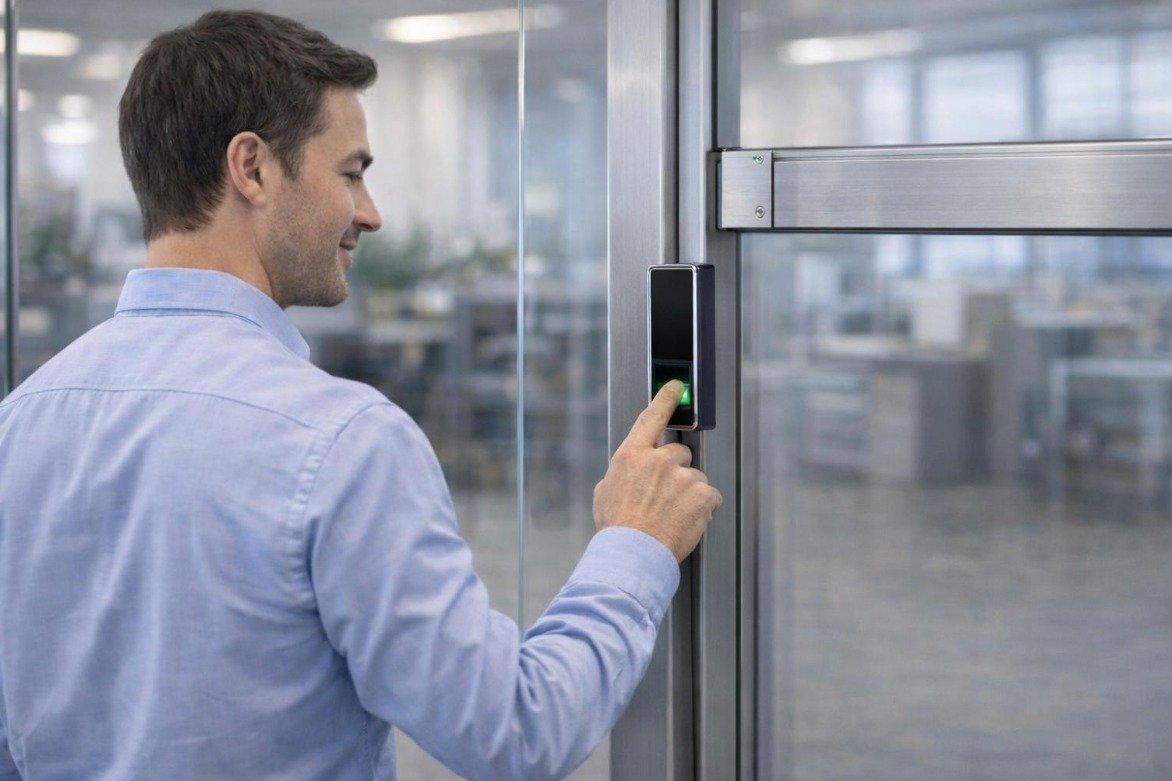
Fingerprint identification may suit staff who regularly arrive at the same controlled entrance. It removes the need to present a separate card for that interaction. However, the practical outcome depends on the users, the sensor, environmental conditions and the way enrollment is performed. Product suitability should be evaluated in the actual workplace context.
Some employees may have difficulty presenting a usable fingerprint consistently. Manual work, skin condition or accessibility needs can affect the experience. The system should provide an agreed alternative method rather than leave a person unable to enter or record attendance. We discuss those exceptions during planning instead of treating them as unusual support cases.
Reader position matters too. A device placed awkwardly near a door swing or at an unsuitable height can slow movement and make presentation uncomfortable. We consider the route people take, lighting around the display, available mounting space and whether arriving staff will create a queue during busy periods.
Biometrics also introduce questions about personal information. Before enrollment, the business should establish its purpose, internal authorisation, retention approach and information provided to users. Appropriate privacy or legal advice may be needed for the particular organisation. Installation should follow that agreed policy rather than define it through default software settings.
Select readers and software as a complete system
A suitable device must support the required functions, user population and operating environment. We review the expected number of users, enrollment methods, credential alternatives, network connections and management interface. A reader advertised for attendance may not provide the same door control options as another model from the same manufacturer.
The management platform deserves equal attention. Administrators need to create users, assign permissions, review events and handle exceptions without searching through unrelated settings. We examine how the proposed software organises those tasks and whether the customer needs a dedicated enrollment station, local workstation or managed service account.
Existing systems can create compatibility requirements. If the business wants an attendance export or a connection to another platform, we identify the exact application, version, data format and supported integration method. A general statement that a device “supports integration” does not establish that the customer's workflow will function without additional work.
We also clarify licensing and ownership. The customer should understand which functions are included, what may require an ongoing subscription and who controls the management account. Documented account ownership reduces disruption when an employee changes roles or the business appoints a different support provider.
Plan enrollment before staff arrive
Enrollment establishes the reference that the system later uses to recognise a person. Rushing that stage can create avoidable problems at every subsequent visit. We organise a practical process with an authorised administrator, verified employee identities and enough time to demonstrate correct presentation at the selected reader.
An employee identifier should be consistent across the intended systems. If attendance records will be exported for review, the identifier must match the organisation's chosen employee record. Similar names should not be the only way to distinguish people. Agreement between operations and human resources prevents duplicate accounts and confusing reports.
Reader guidance should follow the manufacturer's procedure for the selected model. Staff may need to adjust finger placement or repeat a capture when quality is insufficient. The objective is a dependable enrollment that works at the installed device, not merely a software screen that shows the user was added.
Where additional fingers or another credential are supported and approved, they can provide an agreed fallback. Enrollment policy should define what is collected and why. More stored information is not automatically better, particularly when a simpler alternative can meet the organisation's operational and privacy requirements.
Give users appropriate access permissions
Recognising a fingerprint does not by itself establish where a person should be allowed to enter. The system also needs an access rule. We map employees to approved doors and schedules so identification and authorisation remain distinct, understandable parts of the setup.
Role based groups simplify routine changes. For example, office employees may have a standard entrance schedule while designated managers can enter an equipment room. Those groups should reflect real responsibilities. If everyone receives the same broad permission, the business loses much of the value of controlled access.
Temporary users need a planned approach. A contractor may require access for a defined period without being treated as a permanent employee. Where the platform supports expiry, we configure and test it against the agreed dates. Otherwise, the handover must identify the administrator responsible for removing the permission manually.
Departures should trigger a clear update across relevant devices and applications. Disabling a user in one interface may require synchronisation before all readers reflect the change. We confirm the chosen product's behaviour and show the customer how to check the result instead of assuming every connected unit updates instantly.
Configure attendance to match agreed rules
Attendance configuration begins with the organisation's working arrangements. We ask about normal shifts, overnight work, breaks, multiple entrances and how employees indicate arrival or departure. The purpose is to capture events that a responsible administrator can interpret, rather than promise that a reader can infer every working pattern automatically.
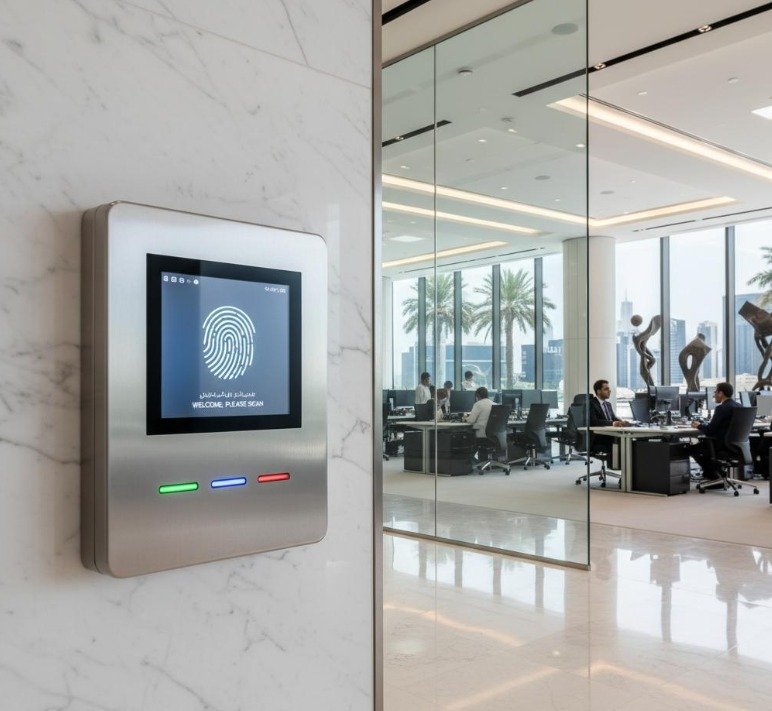
Time and attendance events may use buttons, icons or configured modes depending on the product. Users need clear instructions for the selected method. A correct fingerprint match paired with the wrong event type can still produce a confusing record, especially when staff are unfamiliar with a new terminal.
Overnight shifts require particular care because arrival and departure occur on different calendar dates. The relevant rules should be agreed and tested with example records. Public holidays, leave and authorised exceptions also need a management process. Those decisions belong to the employer's attendance policy, not an installer's personal assumptions.
Raw device events should remain distinguishable from reviewed attendance results. Missing punches, approved corrections and unusual working arrangements may require an authorised person to assess the record. We help define the technical workflow while the business retains responsibility for employment decisions and any final payroll interpretation.
Check integration before relying on exports
An integration requirement should describe the desired result in plain language. For example, the customer may want a daily attendance export using existing employee identifiers. That is more useful than requesting an unspecified connection to “HR software,” which could involve several different applications and data structures.
We confirm the supported transfer method for the actual products. It may be a standard report export, a supported connector or an application programming interface. Each method has different setup and maintenance needs. Custom development, subscriptions or approval from another software provider should be identified separately in the scope.
Testing uses agreed sample users and scenarios. The receiving system should show the correct person, event time and event type. Duplicate handling and interrupted transfers also deserve attention where they affect the workflow. A successful network connection alone does not prove that attendance information is being interpreted correctly.
Access to integration credentials should be restricted to the people who maintain that connection. Where an account or token is used, ownership and renewal responsibilities need documentation. We avoid leaving an important business process dependent on an unexplained credential stored on one employee's computer.
Install readers where they work reliably
Physical installation considers the reader, mounting surface, cable route, network equipment and any connected door hardware. We position devices for practical use while protecting connections from routine disturbance. A neat installation should also remain accessible for inspection and authorised maintenance.
Environmental suitability follows the product's documented limits. Indoor and outdoor locations should not be treated as interchangeable. Direct exposure, moisture, heat, dust or cleaning practices can influence the choice of equipment and mounting arrangement. The survey identifies those conditions before a device is specified.
If the reader controls a door, the lock and exit arrangements form a separate but connected design responsibility. Door condition, closing action and approved emergency behaviour must be assessed with the relevant specialists. Biometric convenience must never be used as a reason to improvise an escape arrangement.
Network and power dependencies are recorded clearly. We agree addressing with the customer's IT contact and identify how the equipment will be powered. Where backup power is required, its scope and expected role must be specified. It should not be assumed that one backup device covers every component in the system.
Commission recognition and real workflows
Commissioning includes users who were enrolled through the intended process. We check recognition at the installed reader, approved access, refused access and the agreed fallback method. Testing with several authorised users gives a more realistic picture than repeatedly presenting one installer's finger during setup.
Attendance tests follow the scenarios agreed with the business. We create representative arrival and departure events and check their display in the management interface. If an export is included, the same records are reviewed at the destination. Differences are investigated before the customer relies on the workflow.
System time is another acceptance point. Reader time, management time and report presentation should agree with the configured local arrangement. Incorrect time settings can make otherwise accurate events difficult to use. We also identify the approved time source and any dependency on network connectivity.
Connectivity interruption and recovery should be tested in a controlled manner where included in the scope. The selected model may store information locally or restrict some functions. The customer needs a clear explanation of that behaviour, including how pending records are synchronised after normal communication resumes.
Protect records and simplify administration
The management interface should use named administrator accounts where supported. An employee who enrolls users may need different permissions from someone who changes device settings or exports records. These boundaries should match business responsibilities and the controls available within the platform.
The business should know what information is stored, where it is held and how it is removed. A fingerprint template, an attendance event and a general employee record are different types of data. Their handling should follow the customer's approved policies and the actual capabilities of the selected system.
Backups need a defined purpose and an authorised location. Copying a database to an unmanaged laptop can create another problem instead of improving resilience. We identify the configuration and records included in the agreed backup process and explain any limits on restoration or transfer between devices.
Handover includes routine tasks and exceptions. Administrators should be able to enroll a user, correct an identity mapping, change access, handle a lost alternative credential and disable a departing employee. A short demonstration using the customer's own workflow is more useful than a long tour of every software menu.
Maintain readers and investigate recognition problems
Maintenance begins with the manufacturer's cleaning and care guidance for the selected sensor. Harsh cleaning methods or unsuitable materials can damage a device. Staff should know how to report a problem without repeatedly changing settings or attempting an improvised repair at the entrance.
A recognition fault needs careful description. Does it affect one user or everyone? Does the device recognise the person but refuse access? Is the terminal responsive but unable to synchronise? Those symptoms point to different causes, including enrollment quality, permissions, communication or physical equipment condition.
Reenrollment may help in an appropriate case, but it should not be the automatic response to every complaint. We first check the user record, displayed message and relevant event. If a permission group was removed accidentally, collecting another fingerprint will not resolve the underlying issue.
For support, provide the reader location, approximate time and a description of the behaviour. Do not send fingerprint data, administrator passwords or complete employee databases through a general messaging channel. A focused description lets us plan the assessment while keeping unnecessary personal information out of the conversation.
Pilot the workflow before a wider rollout
A short pilot can reveal practical issues before every employee is enrolled. Choose a small authorised group that represents the intended workplace, including different shifts where relevant. Explain the purpose, approved data handling and fallback method first. The trial should evaluate the complete process, not collect unnecessary information.
Observe arrival time and how easily users understand the terminal. If people repeatedly select the wrong attendance event or need help presenting a finger, revise the instructions and configuration before expanding the rollout. Administrators should also confirm that the resulting records are easy to identify and review.
A pilot is especially useful when another application receives attendance information. Review representative records with the person who will use them, including an overnight shift or corrected event where applicable. Confirm that employee identifiers remain consistent and that the receiving workflow treats exceptions as intended.
Record the decisions arising from the pilot. These may include clearer device labels, a different reader position, adjusted enrollment scheduling or a documented approval step for corrections. Turning observations into agreed actions helps the final installation support staff consistently from the first full working day.
Questions about biometric installation
Can one reader handle access and attendance?
Some systems support both functions, but the device, software and configuration must be checked. We define the required access behaviour and attendance workflow separately, then test each function. The business should understand how its chosen platform distinguishes a door event from an attendance event.
What if someone cannot use a fingerprint reader reliably?
An approved alternative credential or attendance process should be agreed before rollout. The available options depend on the system and workplace policy. We include that exception in planning so staff are not forced to share credentials or ask another person to record attendance for them.
Can you connect the terminal to our existing attendance software?
We can assess compatibility when you provide the application name, version and required data flow. A supported integration may be available, but custom work or another provider's involvement may be necessary. The quotation should distinguish confirmed functionality from items that still require technical validation.
How do we arrange a survey in Dubai?
Contact CCTV Installation UAE on +971557242758 with your location, user count and intended functions. Mention existing readers, door requirements, shift patterns and the software you want to use. These details help us prepare a relevant assessment and identify the people needed for a productive site visit.
Technical references: Suprema fingerprint enrollment guidance and Suprema authentication and attendance configuration.